Generate from text, images, audio, or video with nearly 100 AI video models—including Wan 3.0, Seedance, Veo, and Kling. Direct every shot, edit on a professional timeline, and finish the entire story in one filmmaking system.
Generation, editing, audio, and delivery—one continuous creative flow.
The complete creative system
Every input. Every stage. One filmmaking flow.
Nearly 100 models
Wan 3.0, Seedance, Veo, Kling, and more—without switching platforms
Generate · Edit · Finish
Create new footage directly inside the professional timeline
Up to 4K
High-resolution generation and delivery on supported models
How it works
From first direction to final delivery in three steps.
1
Input
Choose your starting point
Begin with text, an image, audio, existing footage, or a complete story brief. CinemaFlow keeps the source connected to the project.
2
Direct
Direct the generation
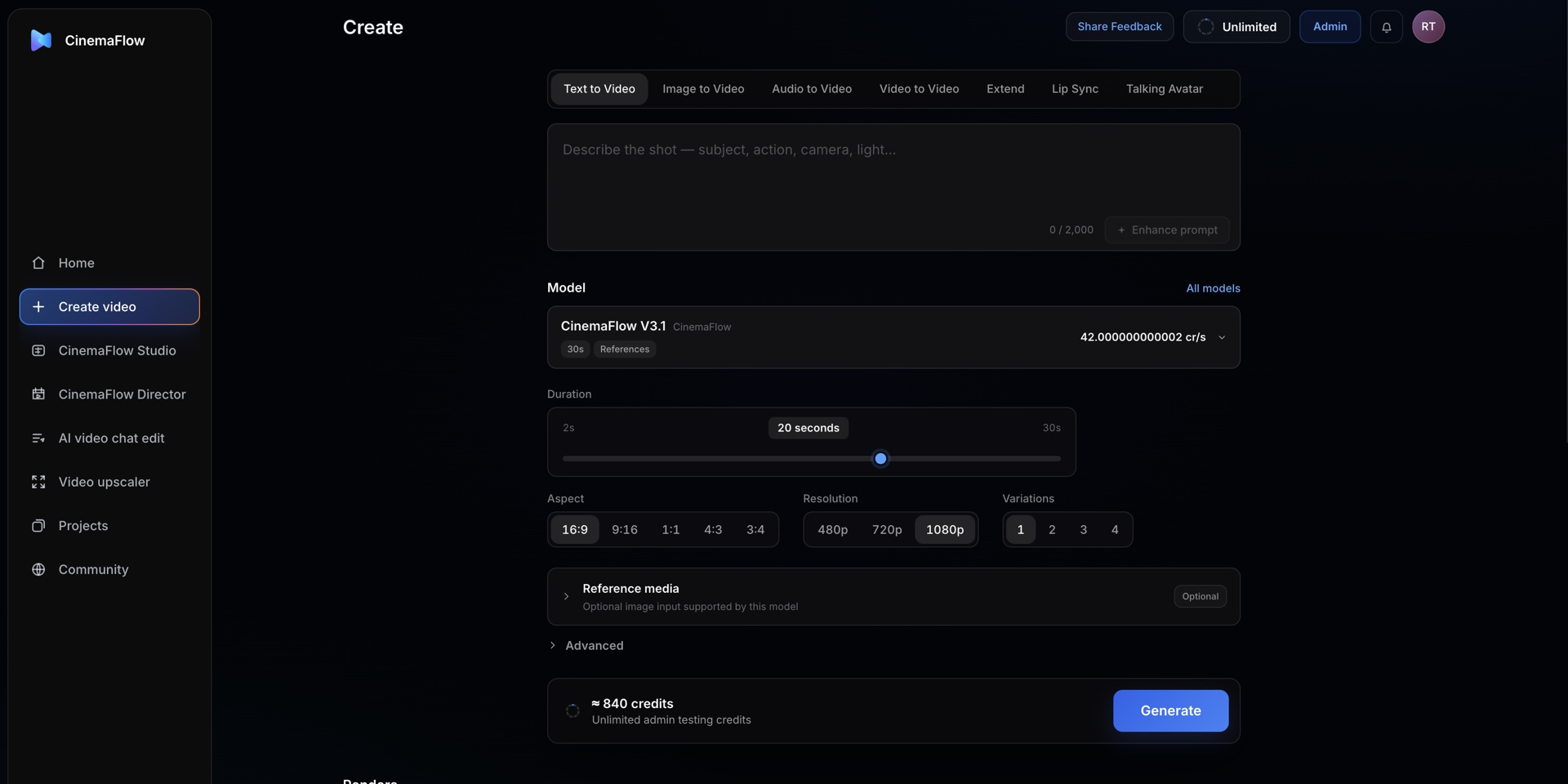
Select the right engine from nearly 100 models, then set the action, camera, duration, aspect, resolution, references, and variations for each shot.
3
Finish
Finish the story
Generate into the timeline, edit with words or standard controls, add sound and captions, color-correct, upscale, and export.
The CinemaFlow system
Everything a modern video workflow needs.
Create video
Generate from text, images, audio, or existing footage with nearly 100 models. Switch between Wan, Seedance, Veo, Kling, and other leading engines for each kind of shot.
CinemaFlow Studio
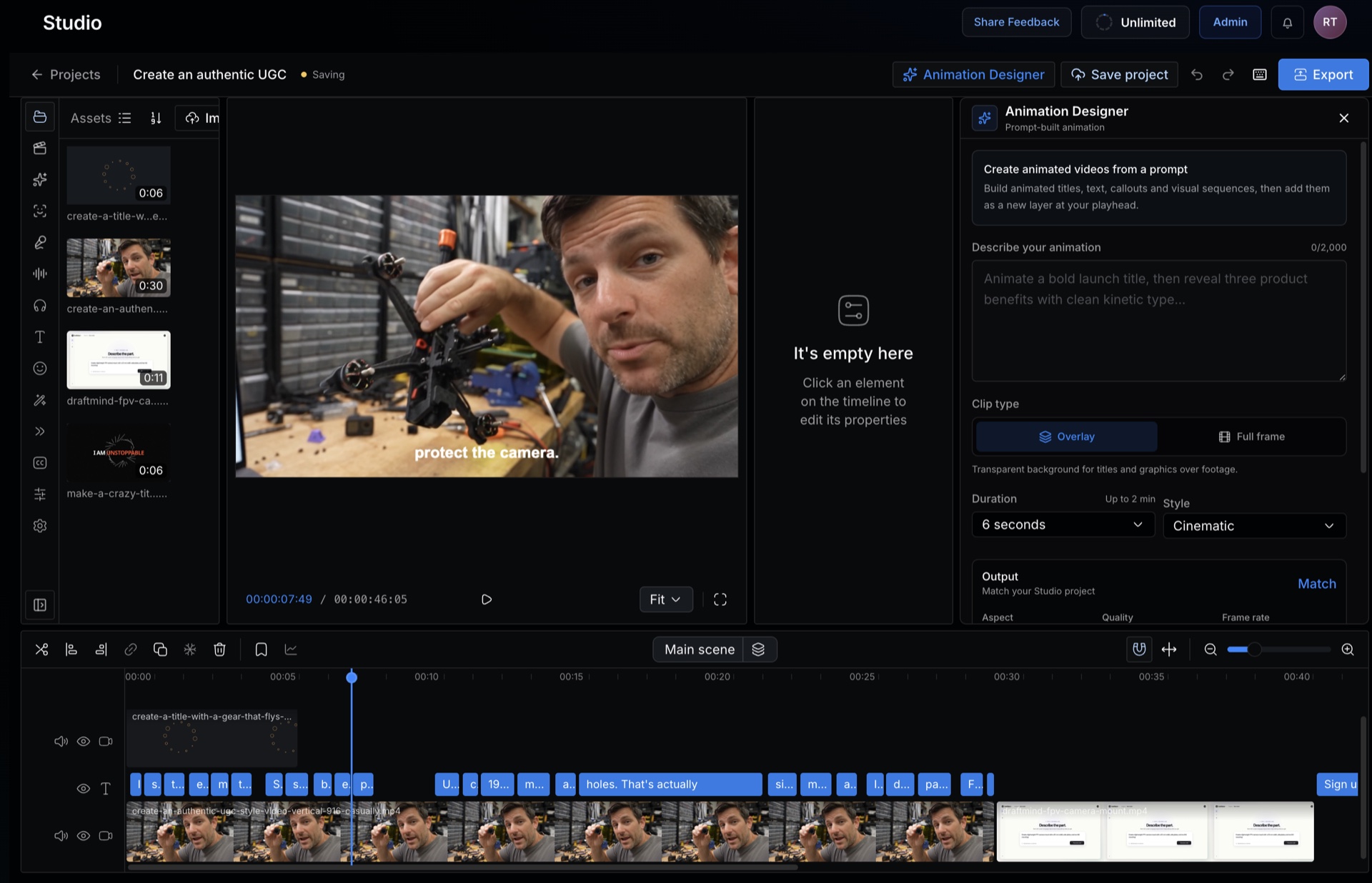
Edit on a complete multitrack timeline with AI-generated clips, titles, captions, animation, voiceovers, music, and sound effects.
CinemaFlow Director
Turn story and character context into long-form films with continuity, draft review, approved shot generation, and a final render.
AI video chat edit
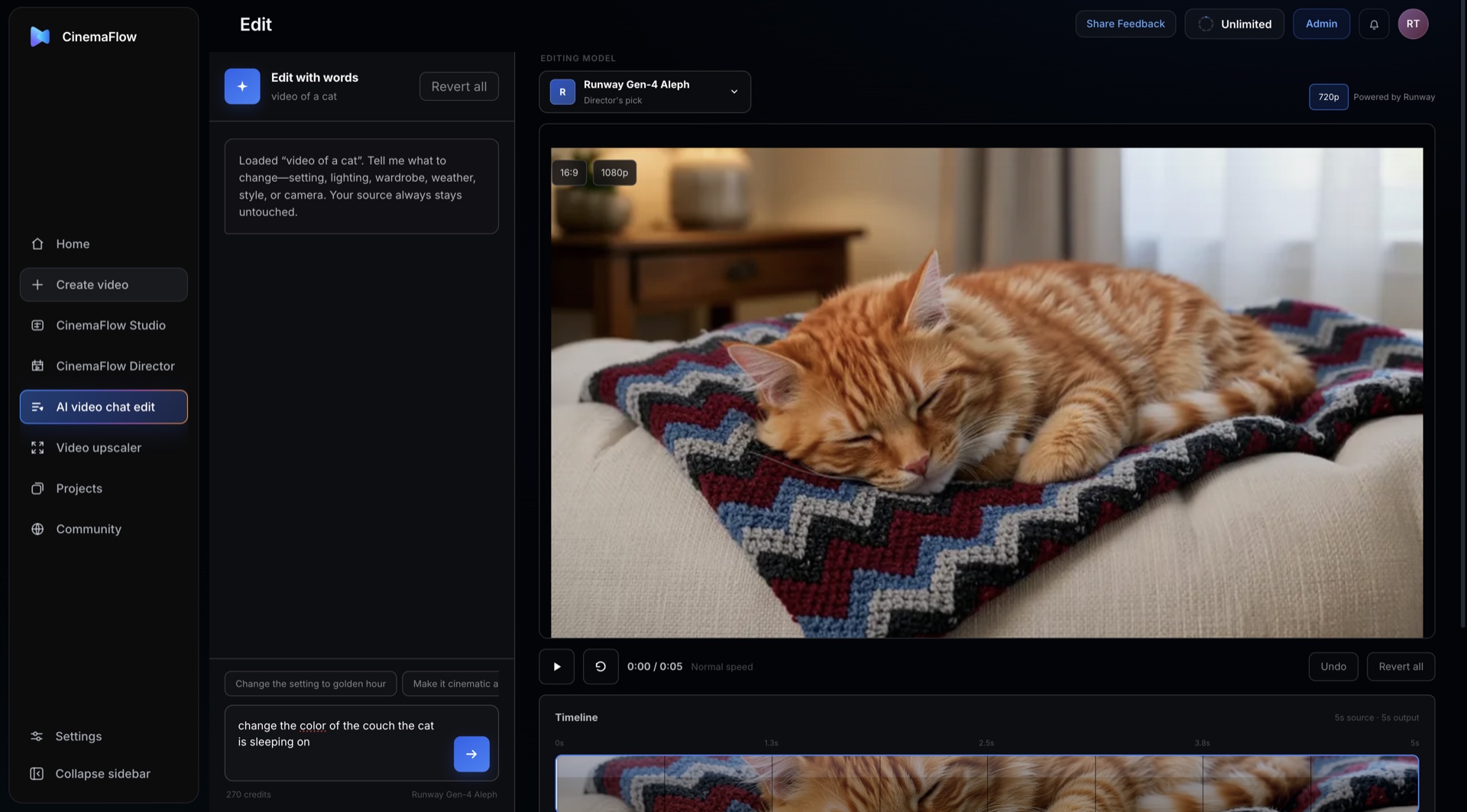
Upload a clip and describe the change. Rework setting, lighting, wardrobe, color, style, or camera without rebuilding the shot by hand.
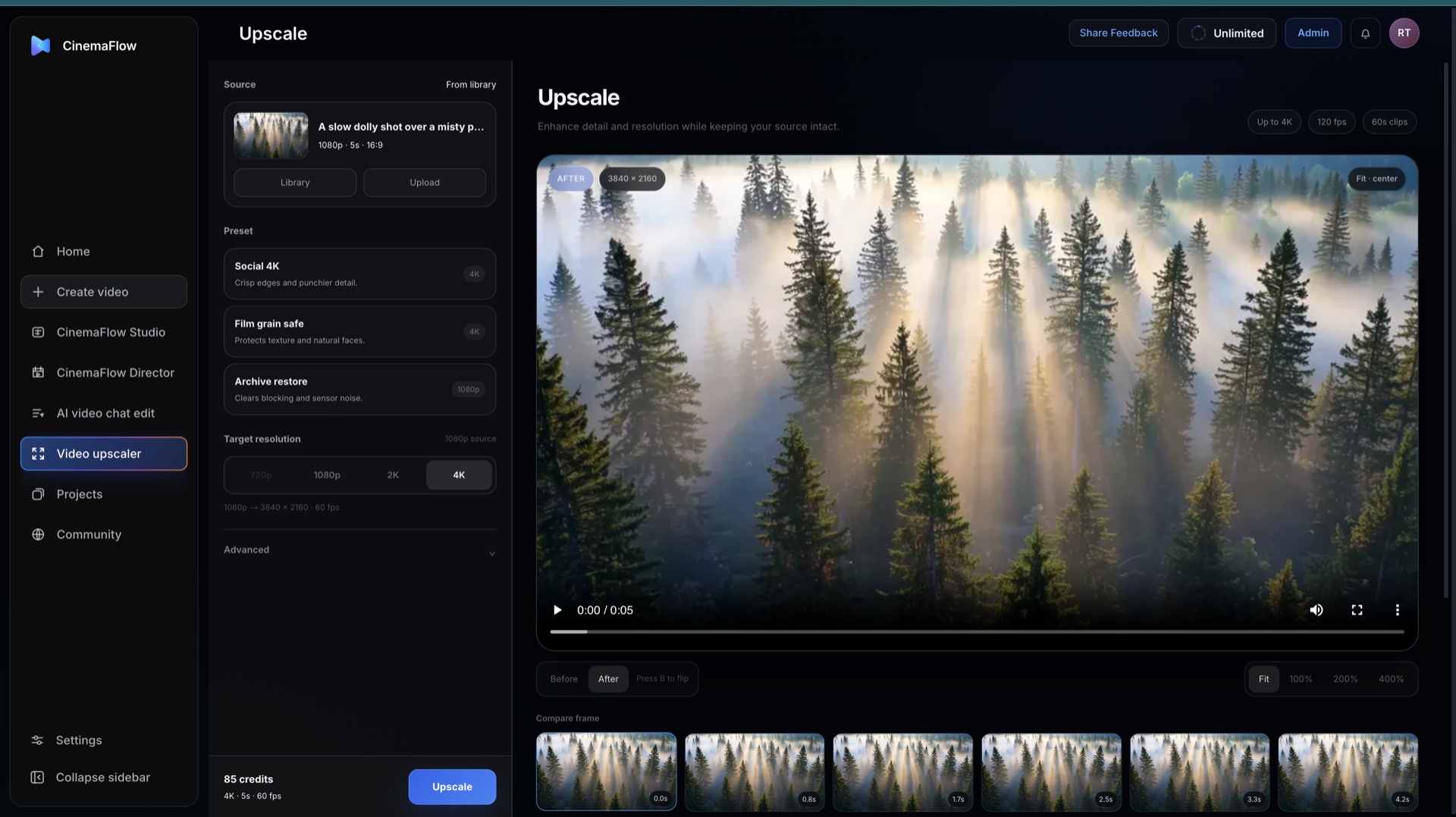
Video upscaler
Restore detail in generated or imported footage, then enhance eligible projects up to 4K or 8K while preserving the source.
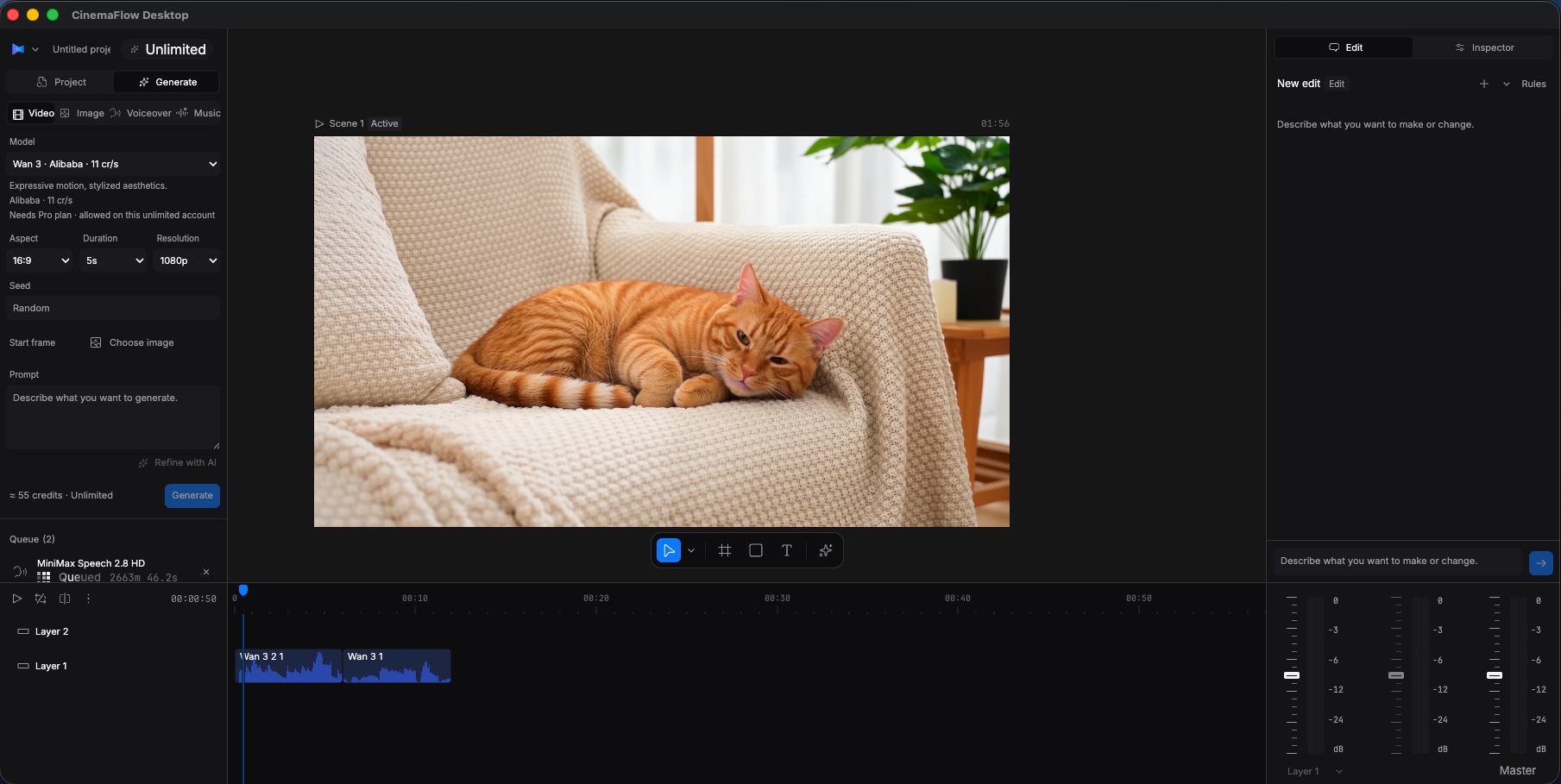
CinemaFlow Desktop
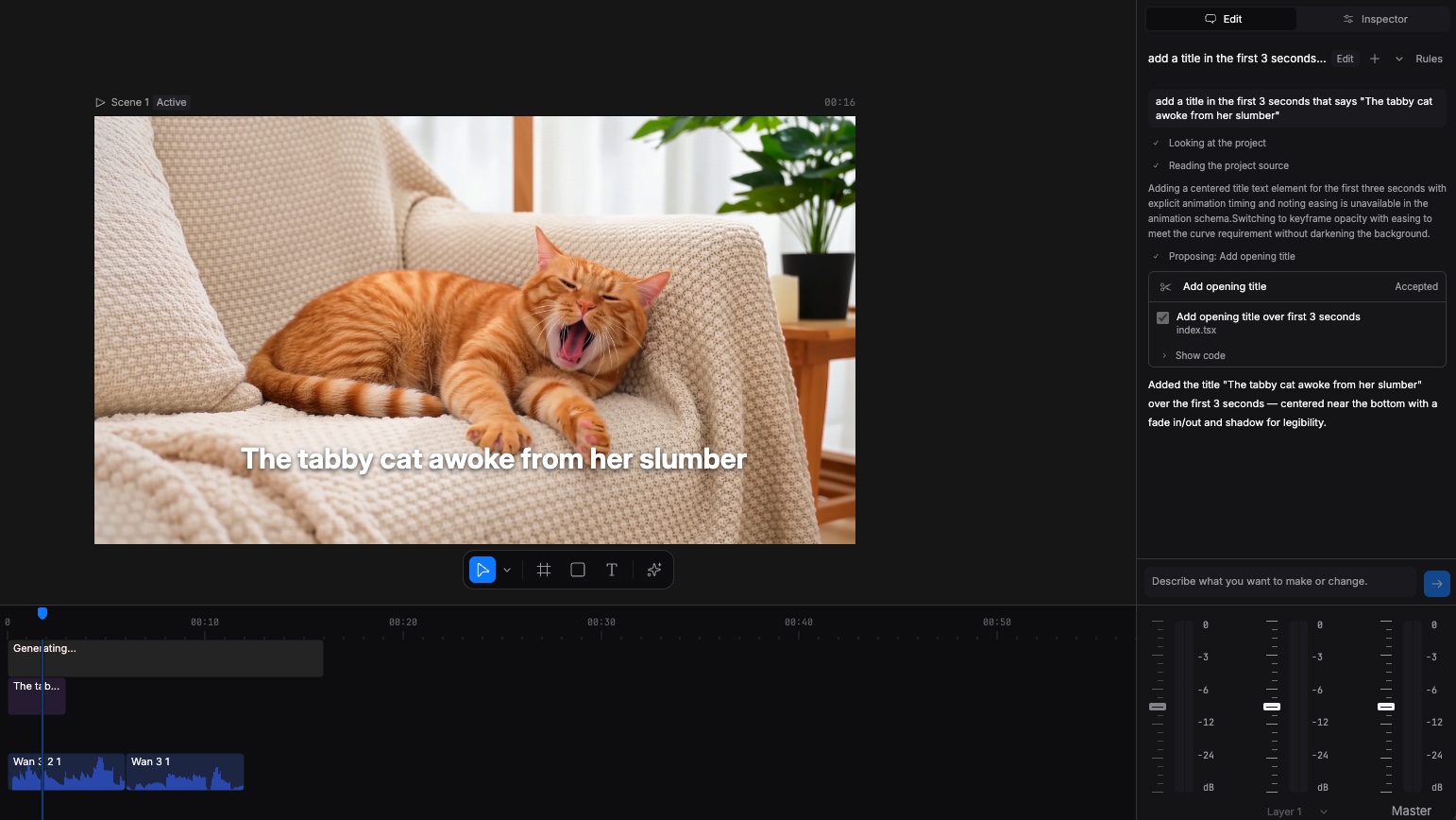
Work in a Premiere-style desktop editor, then type directly into the edit bar to cut, animate, grade, caption, and reshape the timeline.
CinemaFlow Studio
A complete editing room— with an AI crew built in.
Generate media from CinemaFlow's nearly 100-model library directly into a familiar timeline, then use precise controls or simply describe the edit you want.
Animation Designer builds titles, graphics, and complete animated sequences
Generate clips, captions, voiceovers, music, and sound effects in the edit
Shape transitions, effects, timing, audio, and color with full editorial control
StudioAnimation Designer + professional timeline
Inside CinemaFlow
One interface for the entire production.
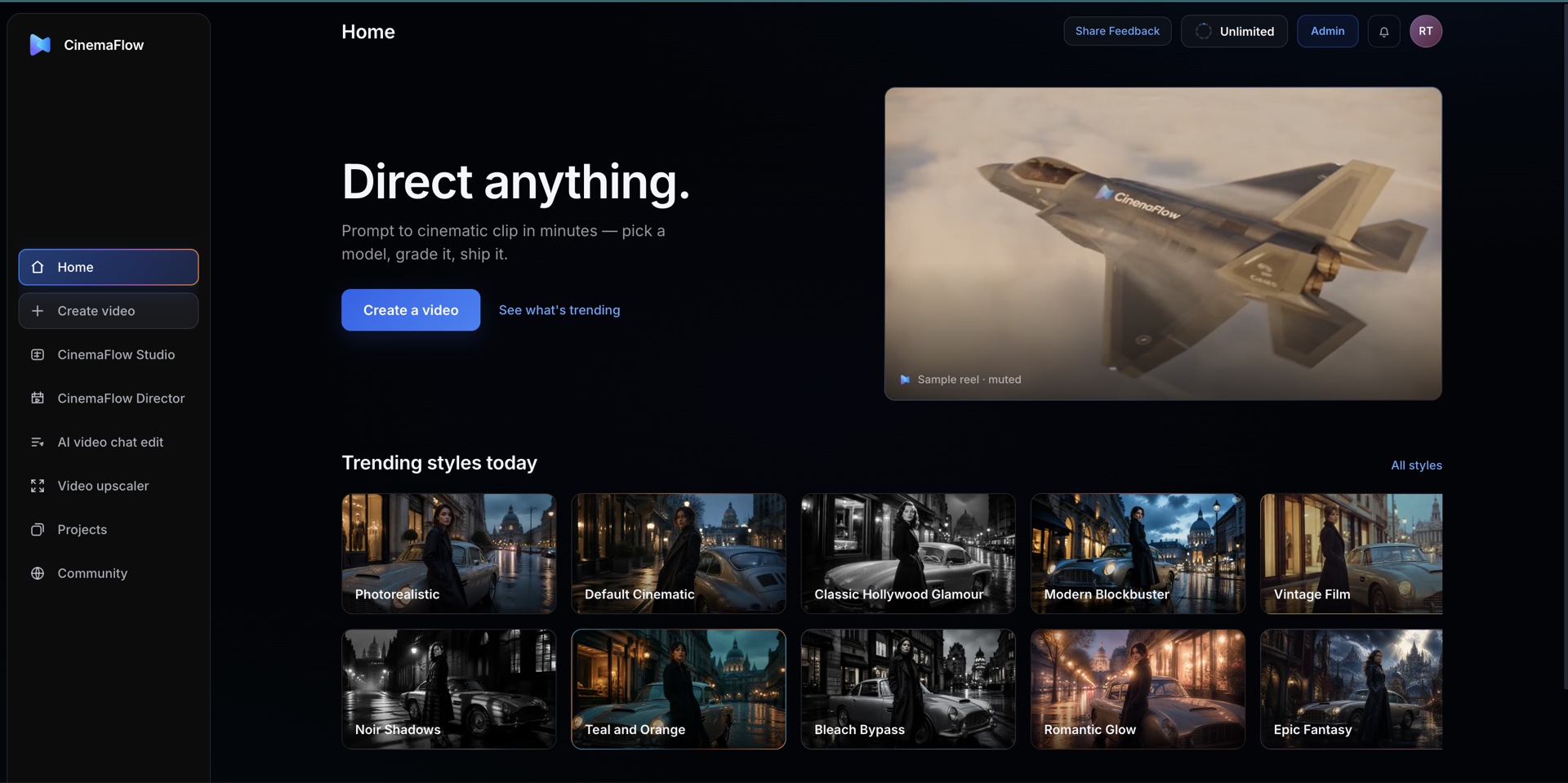
OVERVIEW Direct anything from one connected workspaceCREATE Pick from nearly 100 models for every shotSTUDIO Generate, animate, caption, mix, and finishCHAT EDIT Transform an existing clip with a sentenceUPSCALE Restore detail for high-resolution deliveryDESKTOP Type the edit. Review the change. Keep cutting.
CinemaFlow Director
Plan an entire film, not just the next clip.
Build the world, characters, and complete story context once. Director turns it into a reviewable draft, generates the approved shots, and carries continuity into a final render you can reopen in Studio.
Designed for films from 30 minutes to an hour
Character, location, and visual continuity across scenes
Approve the draft before final shot generation
DIRECTOR WORKFLOWOne story system from outline to final cut
01
Story bibleWorld, tone, characters, visual rules
02
Draft sequenceScenes, coverage, pacing, dialogue
03
Approve shotsReview the plan before generation
04
Final renderGenerate with continuity across the film
05
Open in StudioRefine every clip on the full timeline
Character continuity active
Built around the filmmaker
AI speed without giving up the edit.
01
Generate on the timeline
Choose from nearly 100 models and create the clip in the context of the actual sequence—without losing the cut to another tool.
02
Edit with words
Ask for a cut, title, transition, color change, or effect and review the proposed change before accepting it.
03
Protect continuity
Keep character, place, and visual context connected as a single idea expands into a complete film.
04
Finish professionally
Trim, layer, mix, caption, grade, enhance, and export with the control of a real editing system.
UPSCALERestore detail and prepare high-resolution masters
Go beyond the five-second AI demo.
CinemaFlow carries an idea through complete scenes, sequences, and long-form projects—then gives you the finishing tools to deliver them.
60 min
Long-form film planning and generation for projects up to an hour.
4K / 8K
4K generation where supported, with up to 8K enhancement for eligible workflows.
Web + Desktop
Start in the cloud. Finish wherever you cut.
Move from fast model exploration to a dedicated desktop editing environment without changing how you think about the project.
BROWSER
CinemaFlow Web
Explore nearly 100 leading models—including Wan, Seedance, Veo, and Kling—develop full films, edit with chat, and upscale from anywhere.
DESKTOP
CinemaFlow Desktop
A Premiere-style editor with an AI edit bar that can cut, animate, caption, grade, and reshape the project from typed direction.
CinemaFlow Desktop
Chat with the timeline. Watch the edit happen.
Work like an editor. Direct like you are talking to one.
Import or generate your media, then ask CinemaFlow Desktop to cut clips, adjust timing, add titles, captions, transitions, effects, sound, or color. It understands the project, proposes the change, and lets you approve it before the timeline moves.
“Add an opening title, fade it in over the first three seconds, then build into a faster sequence.”
DESKTOPDescribe the edit. Review the result. Keep creating.
A different workflow
Professional editing— without the production drag.
Fragmented production
Search for assets across disconnected tools
Generate footage outside the active edit
Build titles, captions, and audio layer by layer
Repeat detailed changes manually
Export and reimport after every AI operation
The CinemaFlow edit
Import or generate media inside the project
Choose the best engine from nearly 100 models
Edit clips, titles, captions, sound, and timing with words
Review proposed changes before accepting
Finish the entire production on one timeline
Choose the creative runway that fits.
Starter
$49per month
Save with yearly billing at $480 per year. Change or cancel the plan whenever you need.
Free for 7 days · Cancel whenever
2,000 monthly AI video credits
HD video generation
Cinematic style presets
Motion and camera presets
Shot-level direction controls
Image-to-video animation
Photoreal and stylized models
Prompt-based camera motion
Multi-track timeline editing
Export-ready video files
Save unlimited project drafts
Featured plan
Professional
$179per month
Save with yearly billing at $1500 per year. Change or cancel the plan whenever you need.
Free for 7 days · Cancel whenever
10,000 monthly AI video credits
HD video generation
Cinematic style presets
Motion and camera presets
Shot-level direction controls
Image-to-video animation
Photoreal and stylized models
Prompt-based camera motion
Multi-track timeline editing
Export-ready video files
Save unlimited project drafts
Studio
$399per month
Save with yearly billing at $3350 per year. Add 10k more credits for $100.
Free for 7 days · Cancel whenever
30,000 monthly AI video credits
HD video generation
Cinematic style presets
Motion and camera presets
Shot-level direction controls
Image-to-video animation
Photoreal and stylized models
Prompt-based camera motion
Multi-track timeline editing
Export-ready video files
Save unlimited project drafts
Try it before you decide. Use the 7-day free trial first, then change or cancel your plan anytime.
Helpful answers
The details, made simple.
Start with text, images, audio, or existing video. CinemaFlow includes text-to-video, image-to-video, audio-to-video, video-to-video, extend, lip-sync, and talking-avatar workflows.
CinemaFlow brings nearly 100 AI video models into one interface, including Wan 3.0, Seedance 2.5, Veo 3.1, Kling, and many other leading generation engines. Available models and settings can vary by workflow and plan.
Studio is a full video editor with a multitrack timeline and AI tools for generating clips, titles, animations, captions, voiceovers, music, sound effects, transitions, effects, and color adjustments.
Give Director the story, world, and character context. It builds a draft for review, generates approved shots with continuity, renders the film, and sends the result back to Studio for shot-level editing.
Yes. Upload a clip and use AI video chat to describe changes to its setting, color, style, wardrobe, or camera. Your original source remains available as you review the result.
Many workflows support HD or 4K output, depending on the selected model. The upscaler can enhance eligible footage up to 8K for high-resolution finishing.